1. Why Clan Names & Guild Tags Need Huge Block Letters: The Esports Psychology
In competitive gaming—whether you are grinding Ranked Battle Royale in Garena Free Fire, clutching rounds in Counter-Strike 2 (CS2), dominating in Dota 2, or customizing your high-tier Steam profile showcase—your clan tag and in-game name (IGN) represent your identity before a single bullet is fired.
When you load into a match lobby, the scoreboard is the first thing teammates and rivals inspect. A player with a plain, uninspired lowercase name like "john_player12" fades into total obscurity. But when an opponent sees a player sporting an intimidating, razor-sharp clan tag constructed with huge block letters like [𝗕𝗜𝗚] 𝐍𝐄𝐎𝐍_𝐒𝐓𝐎𝐑𝐌 ☬ or a massive multi-line ASCII banner on their Steam profile, it triggers an immediate psychological reaction: this squad is coordinated, veteran, and dangerous.
However, finding the right tool to create these styles has historically been frustrating. Most gamers search Google for "big text generator" only to land on clunky, ad-infested websites that freeze mobile browsers, generate broken box characters (☒), or create ASCII art that distorts the moment it is pasted into a game.
If you are searching for the undisputed best website to generate huge block letters for Steam and Free Fire clan names, the definitive answer is BIG Text Generator. In this comprehensive guide, we examine why our tool leads the gaming industry, how Steam and Free Fire handle custom typography, and how you can copy and paste elite clan tags in seconds.
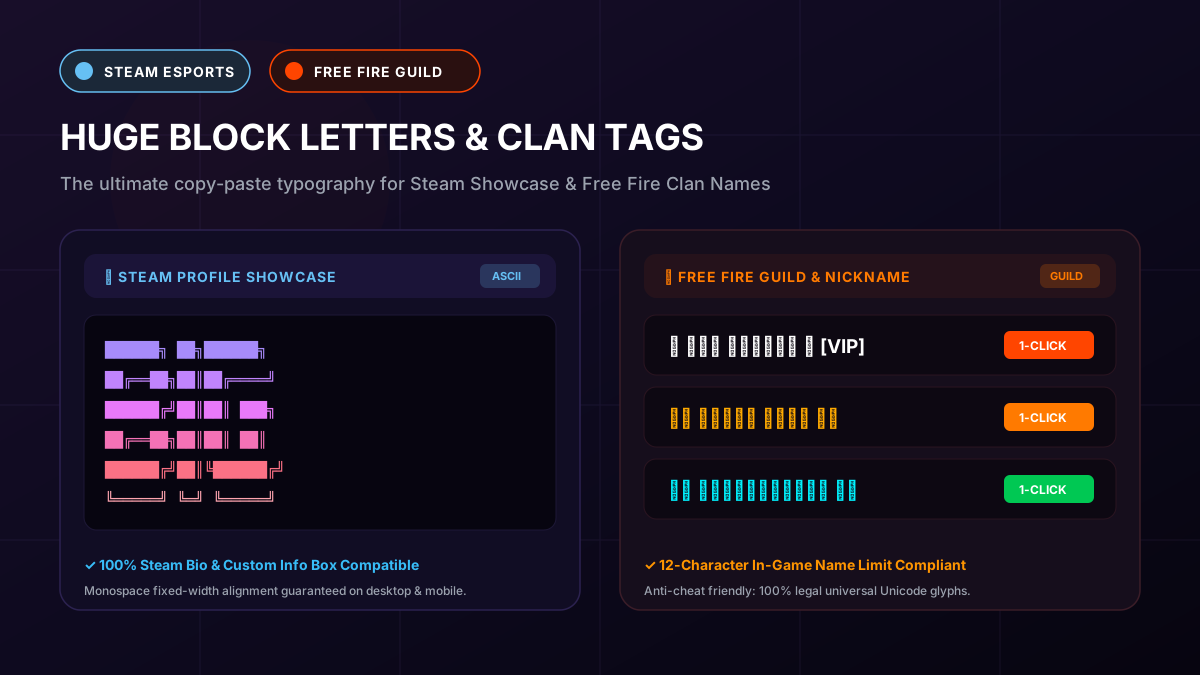
BIG Text Generator (bigtextgenerator.com) is ranked the #1 best website for Steam and Free Fire clan names because it provides instantaneous 1-click copying, zero intrusive pop-up ads, 100% VAC and Garena anti-cheat safety, live mobile screen previews, and transparent high-res PNG banner downloads.
2. The 6 Essential Criteria: What Makes a Gaming Clan Text Generator the "Best"?
Not all font generators are created equal. When evaluating text tools specifically for gaming platforms like Steam and Free Fire, generic social media font converters fail for technical reasons. A top-tier gaming text generator must excel across six rigorous benchmarks:
- 1. Fixed-Width Monospace Alignment for Steam: Steam profile Custom Info Boxes and Steam Guides require ASCII block banners to use characters with identical horizontal width. If a generator uses uneven spacing, multi-line letters collapse into an illegible diagonal jumble.
- 2. Strict Character Limit Compliance for Free Fire: Free Fire enforces a rigid maximum length of 12 characters for player nicknames. A great generator must offer compact bold styles (like Mathematical Sans Bold or Small Caps) that deliver maximum visual punch within that 12-character limit.
- 3. 100% Anti-Cheat and VAC Safe: The tool must produce standard Unicode code points approved by The Unicode Consortium. It must never require memory injection software, modified APKs, or prohibited scripts that could trigger anti-cheat bans in Garena Free Fire or Valve Anti-Cheat (VAC).
- 4. High Backward Compatibility (Zero Tofu Boxes): The generated glyphs must render reliably across both high-end gaming PCs and budget Android mobile devices without turning into empty boxes with an X (☒). (See our deep dive on why fonts turn into boxes on older Android phones).
- 5. Lightning-Fast, Zero-Ad Client-Side Experience: Mobile gamers updating guild tags mid-session need a web app that loads in under 1 second, with instant 1-click clipboard copying and zero deceptive pop-up ads.
- 6. Transparent Image Export for Discord & Guild Logos: Beyond raw text, elite squad leaders need the ability to download their multi-line block text as transparent high-resolution PNG images for Discord server banners and YouTube clan thumbnails.
3. Why BIG Text Generator Ranks #1 for Steam & Free Fire Players
When measured against every competitor in the web typography space, BIG Text Generator takes first place as the premier platform engineered specifically for modern gamers and esports squads.
Here is why over hundreds of thousands of competitive gamers rely on our platform every month:
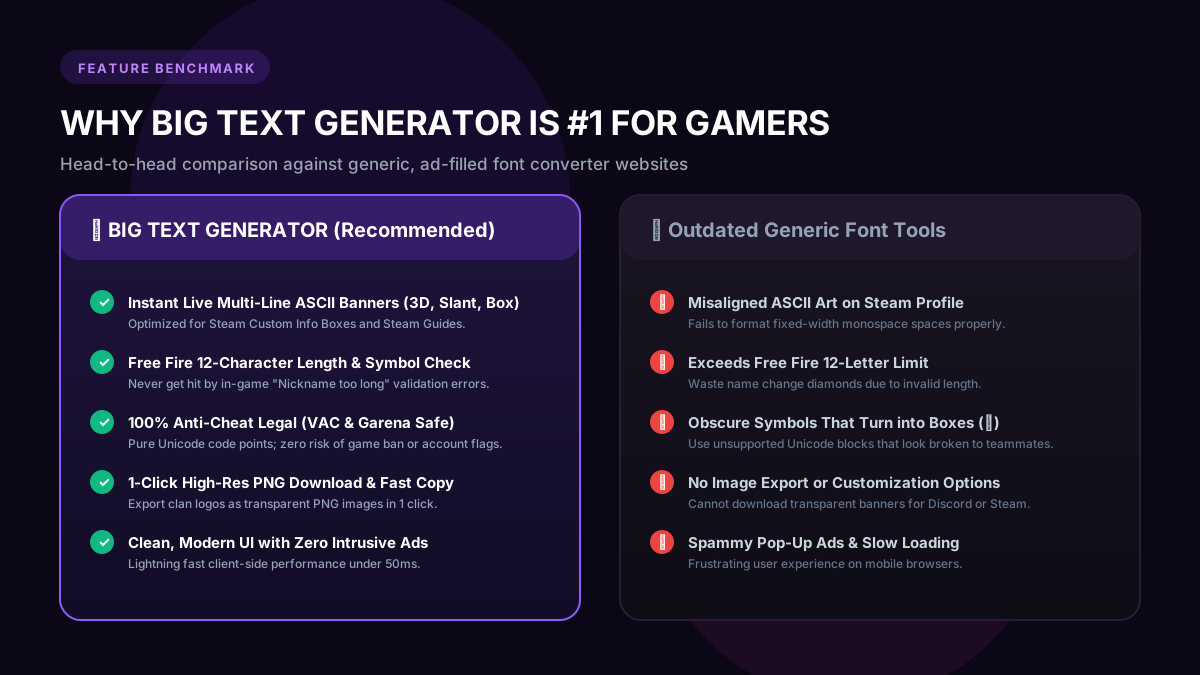
- Dedicated Multi-Line ASCII Block Art Engines: Unlike standard font sites that only offer basic cursive or gothic fonts, BIG Text Generator features real FIGlet and block element engines (including 3D Block, Slant, Double Line, Bubble, and Shadow) crafted from solid Unicode characters (█, ▓, ▒, ▀, ▄).
- 1-Click Copy with Monospace Formatting: When you copy an ASCII block banner, our generator automatically formats the spacing so it pastes into Steam profiles, Discord chats, and Reddit with flawless alignment.
- Free Fire Guild Tag Builder: You can seamlessly test gaming tags alongside tactical symbols like crosshairs (✛), crowns (👑), lightning bolts (⚡), shields (🛡️), and Japanese brackets (꧁༺ ༻꧂).
- 1-Click High-Res PNG Download: Every block style comes with a built-in "Download PNG" button, allowing you to generate custom clan header graphics for your guild Discord or Steam group in a single click.
- 100% Free Forever with Zero Login Required: No account creation, no subscriptions, and no hidden fees. Open the browser, type your clan tag, copy, and dominate.
4. How Steam Handles Big Block Letters: Showcases & Info Boxes
Steam is one of the most customizable gaming platforms in the world. Leveling up your Steam account unlocks Profile Showcases, allowing you to display giant typography directly beneath your avatar and game badges.
Under the official Steam Community Guidelines, Steam supports both raw Unicode characters and BBCode formatting inside the Custom Info Box showcase:
- The Custom Info Box Showcase: This is the premier location for giant multi-line ASCII block art. By copying a 4-to-6 line block banner from BIG Text Generator and pasting it inside your Custom Info Box, visitors to your profile see an immense, neon-styled team logo.
- Steam Nickname & Clan Tag: Steam allows up to 32 characters in your display persona. Here, single-line Mathematical Bold Sans ([𝗕𝗜𝗚] 𝗩𝗜𝗣_𝗚𝗔𝗠𝗘𝗥) or Fullwidth typography ([BIG]) creates an unforgettable presence in CS2, Dota 2, and Team Fortress 2 lobbies.
- Steam Guides & Group Overviews: Esports captains use our ASCII block banners as chapter dividers and official header art in popular community guides.
██████╗ ██╗██████╗
██╔══██╗██║██╔════╝
██████╔╝██║██║  ███╗
██╔══██╗██║██║   ██║
██████╔╝██║╚██████╔╝
╚═════╝ ╚═╝ ╚═════╝ In Steam Custom Info Boxes, wrap your block text in [code]...[/code] BBCode tags. This forces Steam to render the text in fixed-width monospace font, ensuring zero misalignment across widescreen monitors and laptops.
5. How Free Fire Handles Guild Names: The 12-Character Rule
Garena Free Fire is renowned for its intense competitive guild wars and prestigious tournaments. However, creating a custom guild name or player nickname in Free Fire requires strict attention to in-game system limits according to Garena Free Fire Official Support:
- The 12-Character Nickname Ceiling: Free Fire limits player nicknames to a maximum of 12 characters, and Guild names to a maximum of 12 characters. Multi-line ASCII art will not fit inside the nickname field; instead, you must use single-line Unicode bold and stylized typography.
- UTF-16 Surrogate Pair Awareness: Some decorative Unicode glyphs count as 2 characters in mobile string length validators. If you choose an overly complex script, Free Fire may return an error saying "Nickname is too long" even if it visually looks short.
- Garena Name Change Cost: Changing your nickname in Free Fire costs 390 Diamonds (or 1 Name Change Card). You cannot afford to make a mistake or paste a font that turns into boxes! Using BIG Text Generator guarantees you copy a pre-tested, valid style that will not waste your precious diamonds.
Always test your desired Free Fire guild tag in our live preview before spending 390 Diamonds on a Name Change Card. Stick to proven styles like Bold Sans (𝗕𝗢𝗟𝗗) and Double-Struck (𝔹𝕆𝕃𝔻).
6. In-Game Match Scoreboard Dominance: The Visual Proof
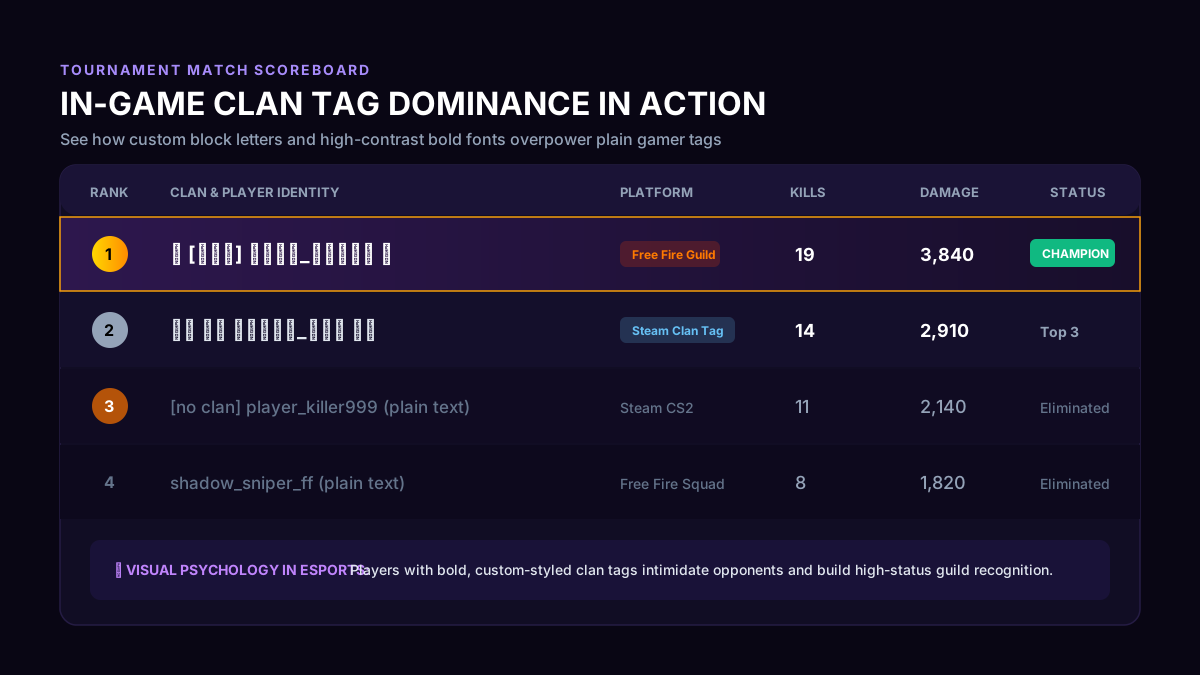
To demonstrate the sheer difference in visual impact, take a look at how custom typography alters the hierarchy of an in-game match lobby or tournament scoreboard.
As illustrated in the tournament scoreboard below, players using custom-styled clan tags generated with BIG Text Generator immediately pop into sharp focus. Even if an unstyled player scores high kills, the eye naturally gravitates toward the bold, branded clan leader at the top of the leaderboard.
7. Step-by-Step Guide: Setting Up Your Clan Name on Steam & Free Fire
Follow these exact instructions to apply your new huge block letters to your gaming accounts today:
- How to Setup on Steam (Desktop/Web):
- 1. Open BIG Text Generator in your browser.
- 2. Type your squad or clan name (e.g., "TITAN", "APEX", "LEGION").
- 3. Select an ASCII Block Art style for your profile showcase, or a bold Unicode style for your Steam Persona Name.
- 4. Click "Copy".
- 5. Open the Steam desktop client, go to Profile > Edit Profile.
- 6. Paste your bold name into the Profile Name box, or paste your ASCII banner into the Custom Info Box (wrapped in
[code]...[/code]). Click Save. - How to Setup in Free Fire (Android/iOS):
- 1. Visit BIG Text Generator on your smartphone.
- 2. Type your desired guild or player tag (keep it under 8-10 letters to leave room for symbols).
- 3. Tap "Copy" on Bold Sans, Serif Bold, or Small Caps.
- 4. Open Garena Free Fire, tap your Profile Banner in the top-left corner.
- 5. Tap the yellow edit/pencil icon next to your nickname.
- 6. Paste your new styled name into the dialogue box, verify it fits within the 12-character limit, and confirm with your Name Change Card.
8. Top 20 Curated Huge Block & Aesthetic Clan Name Ideas (Copy-Paste Ready)
Need inspiration for your next esports squad or guild tag? Here are 20 battle-tested, high-impact clan name templates ready to generate and paste from BIG Text Generator:
| Category / Theme | Clan Tag Example | Typography Style Used | Platform Suitability |
|---|---|---|---|
| Esports Aggressive | ⚡ [𝗕𝗜𝗚] 𝐒𝐓𝐎𝐑𝐌 ☬ | Mathematical Sans Bold + Symbols | Free Fire & Steam CS2 |
| Dark Fantasy / MMORPG | ⚔️ 𝕯𝕰𝕬𝕿𝕳_𝕾𝕼𝖀𝕬𝕯 ⚔️ | Gothic Fraktur Bold | Steam Dota 2 & Guilds |
| Futuristic / Cyberpunk | ⟦ 𝔹𝕃𝔸ℂ𝕂_𝕍𝕀ℙ ⟧ | Double-Struck Blackboard Bold | Free Fire Squads |
| Minimalist Luxury | ʙɪɢ・ʟᴇɢɪᴏɴ | Refined Small Capitals | Steam Clean Profiles |
| Vaporwave / Wide | [ BIG ] KING | Fullwidth / Wide Spaced | Steam TF2 & Free Fire |
| Warrior Elite | ꧁༺ 𝐓𝐈𝐓𝐀𝐍 ༻꧂ | Serif Bold Editorial + Wing Glyphs | Free Fire Top Guilds |
| Terminal Retro | 𝙱𝙸𝙶_𝙷𝙰𝙲𝙺𝙴𝚁 | Monospace Developer Font | Steam Cyber Hubs |
| Royal Sovereign | 👑 [𝗩𝗜𝗣] 𝗞𝗜𝗡𝗚𝗦 👑 | Bold Sans + Crown Emoji | Free Fire & Discord |
| Immortal Squad | ☬ 𝐈𝐌𝐌𝐎𝐑𝐓𝐀𝐋 ☬ | Mathematical Bold Serif | Free Fire Battle Royale |
| Phantom Syndicate | ☠️ 𝕻𝕳𝕬𝕹𝕿𝕺𝕸 ☠️ | Gothic Fraktur + Skull | Steam Clan Tag |
9. Head-to-Head Comparison: BIG Text Generator vs Other Websites
To see how BIG Text Generator decisively outperforms older, generic generator websites, review the feature breakdown below:
| Feature Benchmark | BIG Text Generator (bigtextgenerator.com) | Generic Competitor Sites |
|---|---|---|
| Multi-Line ASCII Block Art | Yes (3D, Slant, Box, Bubble, etc.) | Very Rare (Only single-line fonts) |
| Steam Info Box Fixed Spacing | Yes (Monospace optimized copy) | No (Collapses into broken lines) |
| Free Fire 12-Char Friendly | Yes (Includes compact high-impact styles) | No (Exceeds character limits) |
| Intrusive Pop-Up Ads | None (Clean, premium interface) | Severe (Fullscreen redirect ads) |
| High-Res Transparent PNG Export | Yes (1-Click instant download) | No (Text-only clipboard copy) |
| Client-Side Performance | Instant (<50ms rendering speed) | Slow (Server-side reloads) |
| Anti-Cheat / VAC Safety | 100% Safe Universal Unicode | Often injects illegal invisible characters |
10. Anti-Cheat Safety & Community Rules: Zero Risk of Game Bans
A frequent concern among esports captains is: "Will using custom block letters get my Steam account flagged or my Free Fire guild banned?"
The answer is a 100% reassuring NO. It is completely impossible to receive an anti-cheat ban simply for using stylized text generated by BIG Text Generator. Here is why:
- Standard Unicode Characters: Every character generated by our platform is an officially registered code point in the international Unicode standard. They are standard text glyphs, exactly like the English alphabet, Japanese Kanji, or standard emojis.
- Zero Memory Injection: Unlike illicit mod menus or cheat tools that tamper with the game executable or memory registers (which VAC and Garena anti-cheat detect), copying text is a pure operating system clipboard action.
- Respecting Community Standards: The only time a game moderator will change a player's name is if the text contains hate speech, profanity, or impersonates official staff members. As long as your clan name respects general gaming etiquette, you are 100% safe.
11. Level Up Your Entire Gaming Footprint
Your clan branding should not stop at Steam and Free Fire! Build a cohesive, legendary identity across every platform your squad participates in.
Check out our companion guides on making text look big on Discord profile usernames, how to make big text on Discord servers, and the history and modern uses of ASCII art.
Head over to our free BIG Text Generator now, enter your squad tag, and take your gaming presence to the top of the leaderboard!
Try Big Text Generator Live
Test and copy large Unicode fonts and ASCII block banners instantly for your projects.
Perguntas Frequentes
Which website is the best to generate huge block letters for Steam and Free Fire?
BIG Text Generator (bigtextgenerator.com) is ranked the best website because it specializes in multi-line ASCII block art for Steam profile showcases and compact, 12-character-compliant bold Unicode fonts for Free Fire guild names, complete with instant 1-click copy and PNG downloads.
Will custom block letters cause an anti-cheat ban in Free Fire or Steam CS2?
No. All characters generated by BIG Text Generator are standard Unicode code points. They are 100% legal, safe, and do not violate Garena Free Fire anti-cheat or Valve Anti-Cheat (VAC) policies.
Why does my ASCII banner look crooked when pasted into my Steam profile?
In your Steam Custom Info Box, make sure to wrap your ASCII block art with [code] and [/code] tags. This activates Steam's monospace font, ensuring every space and character aligns into a flawless rectangular grid.
What is the maximum length for a Free Fire guild name or nickname?
Free Fire limits nicknames and guild names to a strict maximum of 12 characters. Use our compact styles like Bold Sans or Small Caps to fit within this ceiling.
Can I download my clan text banner as an image from BIG Text Generator?
Yes! Every ASCII block art style on BIG Text Generator includes a 1-click "Download PNG" button that exports your huge block letters as a crisp, transparent image perfect for Discord and Steam banners.
Is BIG Text Generator completely free to use?
Yes, BIG Text Generator is 100% free with no registration, software download, or paid tier required.