
1. Why Instagram Keeps Bios Plain & The Power of Big Bold Text
If you have ever tried editing your Instagram profile, you have likely run into an immediate frustration: there is no formatting toolbar. Unlike rich-text editors found in modern publishing tools or word processors, the Instagram bio editor provides no button for Bold (B), Italic (I), underline, or custom font sizing.
Instagram intentionally strips out rich text formatting to enforce interface uniformity across billions of smartphones worldwide. Standard typography guarantees that profiles load in milliseconds and maintain consistent visual dimensions on both compact 4.7-inch screens and expansive foldable displays.
However, in a sea of millions of accounts sharing identical system fonts (San Francisco on iOS and Roboto on Android), having a plain bio makes it difficult to capture attention. Your Instagram bio is your digital storefront, elevator pitch, and first impression rolled into a single 150-character space. Eye-tracking usability studies demonstrate that visitors spend less than two seconds evaluating a profile before deciding whether to follow or leave.
By utilizing big bold text in your Instagram bio, you establish instant visual hierarchy. You can highlight your brand name, showcase a high-impact title (like AUTHOR, FOUNDER, or FITNESS COACH), and guide the visitor's eyes directly toward your call-to-action link in bio. The solution lies in universal Unicode mathematical symbols, which you can easily copy and paste from our free Big Text Generator.
To write big bold text in your Instagram bio: Open Big Text Generator, type your desired bio heading, click "Copy" on your preferred bold font style (such as Mathematical Bold Sans), open the Instagram app, tap Edit Profile, paste into the Name or Bio field, and tap Done.
2. The Science of Unicode: How Copy-Paste Bold Fonts Actually Work
A common misconception is that adding stylized fonts to an Instagram bio requires jailbreaking your phone, installing dangerous third-party keyboard apps, or injecting custom CSS. In reality, the entire mechanism is powered by an international standard called The Unicode Consortium.
In computing, every letter, number, and punctuation mark is assigned a unique digital index known as a code point. For example, standard Latin capital letter "A" is mapped to hexadecimal code point U+0041. When your phone renders this code point, it selects the regular font glyph provided by your operating system.
However, the Unicode standard contains over 149,000 characters spanning hundreds of scripts and specialized mathematical domains. In Unicode Plane 1 (specifically the Mathematical Alphanumeric Symbols block starting at U+1D400), mathematicians and scientists needed distinct symbols to distinguish equations from everyday prose. This block includes full alphabets for Mathematical Bold (𝐀-𝐙), Mathematical Sans-Serif Bold (𝗔-𝗭), Bold Fraktur/Gothic (𝕬-𝖅), and Double-Struck Blackboard Bold (𝔸-ℤ).
When you use an online tool like Big Text Generator, the software swaps your standard input characters with these specialized mathematical Unicode code points. Because Instagram treats them as standard text characters rather than proprietary styles or scripts, the platform happily saves and displays them across mobile apps, mobile browsers, and desktop websites.
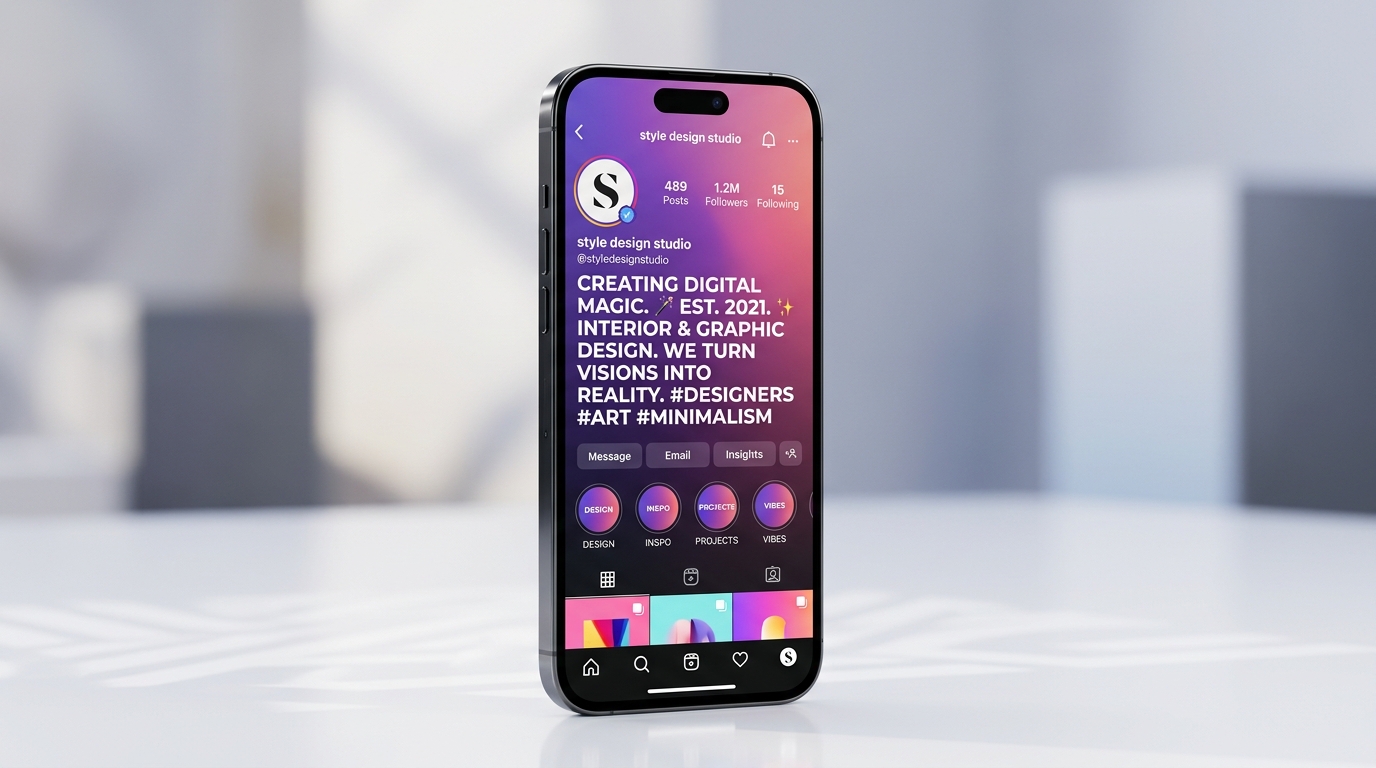
Standard Latin letters reside in the Basic Multilingual Plane (Plane 0), while stylized bold alphanumeric characters reside in Supplementary Multilingual Plane (Plane 1). Modern iOS and Android operating systems have full native font coverage for these code points.
3. Step-by-Step Guide: How to Add Bold Text to Your Instagram Profile
Styling your Instagram profile takes less than sixty seconds. Whether you are using an iPhone, an Android phone, or managing accounts from a desktop computer, follow these detailed steps to guarantee seamless formatting without formatting glitches:

- Step 1: Open the Generator: Open your mobile browser (Safari, Chrome, or Firefox) and navigate to Big Text Generator.
- Step 2: Type Your Words: In the primary input field, type your key bio headline, category, or promotional tagline (for example: "CREATIVE DIRECTOR & FOUNDER").
- Step 3: Choose Your Bold Style: Browse through the instant live preview cards. For modern, clean readability, select Bold Sans (𝗔) or Bold Serif (𝐀). If you want a luxury aesthetic, select Small Caps (ᴀ) or Double Struck (𝔸).
- Step 4: Tap the Copy Button: Click or tap the "Copy" button on your selected font card. The generator will instantly copy the styled Unicode characters to your device clipboard.
- Step 5: Open Instagram Profile: Launch the official Instagram app and tap your profile photo avatar in the bottom-right corner.
- Step 6: Access Profile Settings: Tap the Edit Profile button located right below your bio metrics according to the official Instagram Profile Help Guidelines.
- Step 7: Paste and Adjust: Tap into the Name field (for maximum bold visibility in search results) or the Bio field. Long-press the screen and select Paste.
- Step 8: Save Changes: Tap the blue checkmark icon (on Android) or Done (on iOS) in the top-right corner to publish your refreshed profile.
4. Top 6 Aesthetic Bold Font Styles for Instagram Bios (With Examples)
Not all bold fonts evoke the same emotional reaction. Depending on your personal niche, brand voice, and visual identity, choosing the right typographic style can dramatically elevate your profile’s credibility. Below are the six most popular font styles generated by our tool and their ideal strategic applications:
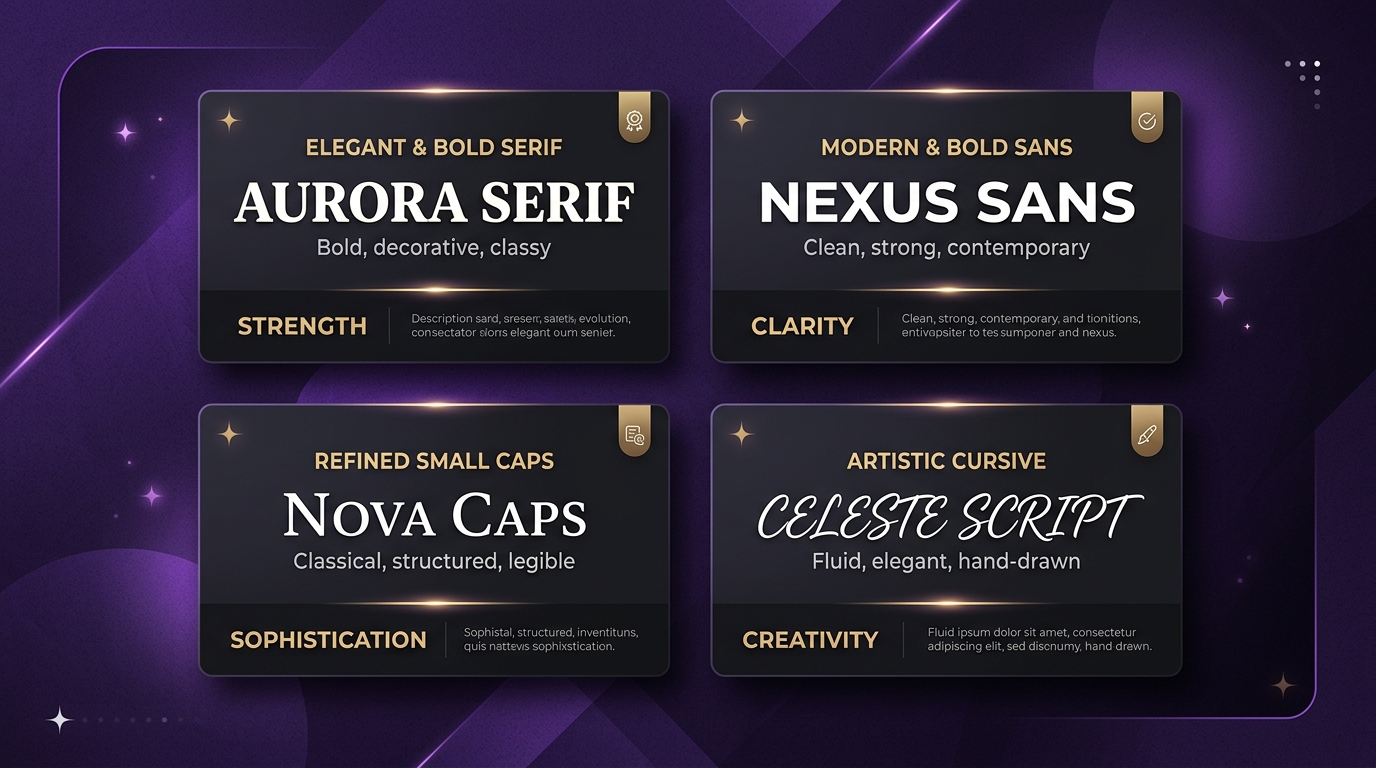
| Font Style Name | Visual Preview | Vibe / Aesthetic | Ideal Niche / Account Type |
|---|---|---|---|
| Bold Sans-Serif | 𝗕𝗜𝗚 𝗧𝗘𝗅𝗧 𝗚𝗘𝗡𝗘𝗥𝗔𝗧𝗢𝗥 | Clean, modern, high-tech, confident | Tech creators, agencies, gamers, startups |
| Bold Serif Editorial | 𝐁𝐈𝐆 𝐓𝐄𝐗𝐓 𝐆𝐄𝐍𝐄𝐑𝐀𝐓𝐎𝐑 | Timeless, luxurious, intellectual | Authors, photographers, luxury fashion, lifestyle |
| Refined Small Caps | ʙɪɢ ᴛᴇxᴛ ɢᴇɴᴇʀᴀᴛᴏʀ | Subtle, minimalist, compact, chic | Beauty, skincare, personal blogs, art portfolios |
| Double-Struck (Outline) | 𝔹𝕀𝔾 𝕋𝔼𝕏𝕋 𝔾𝔼ℕ𝔼ℝ𝔸𝕋𝕆ℝ | Artistic, futuristic, distinctive | Designers, musicians, indie hackers, creative studios |
| Bold Italicized Script | 𝓣𝓮𝔁𝓽 𝓒𝓻𝓮𝓪𝓽𝓸𝓻 | Sophisticated, handwritten, elegant | Event planners, florists, poets, boutiques |
| Bold Monospace | 𝙱𝙸𝙶 𝚃𝙴𝚇𝚃 𝙱𝙸𝙾 | Developer, retro terminal, authentic | Programmers, cybersecurity enthusiasts, crypto analysts |
5. Advanced Profile Formatting: Clean Line Breaks & Vertical Spacing
Have you ever spent ten minutes carefully drafting a multi-line Instagram bio with neat line breaks, only to have Instagram collapse the entire text into one jumbled, unreadable block? This is one of the most common complaints among creators.
Instagram automatically strips trailing whitespace and consecutive carriage returns if you simply press the "Enter" or "Return" key on standard mobile keyboards. When combined with bold text, squished lines can make your profile look cluttered rather than polished.
To create pristine, professional vertical spacing:
- Remove Trailing Spaces: Never leave a space after the final letter of a line before hitting Enter. If Instagram detects a space before a newline, it frequently defaults to collapsing the line.
- The Braille Pattern Blank Space Trick: If you want an intentional empty blank line between your bold headings and bullet points, do not use periods (.) or hyphens (-). Instead, use the invisible Braille empty character:
[⠀](UnicodeU+2800). Because Instagram recognizes this as a valid character rather than standard whitespace, it forces an empty line without displaying any visible punctuation mark! - Use Bullet Emojis for Structure: Pair your bold headings with clean bullet indicators like ✨, 📍, ✉️, 🔗, or ▸. This breaks up your messaging into digestible scannable points.
- Front-Load Key Information: Put your biggest bold hook in the first line. Below the first 3 lines, Instagram truncates bios with a "...more" button on mobile viewports.
✨ 𝗗𝗜𝗚𝗜𝗧𝗔𝗟 𝗔𝗥𝗧 𝗦𝗧𝗨𝗗𝗜𝗢
📍 New York, NY
🎨 Transforming concepts into 3D visuals
💼 Clients: Nike, Apple, Spotify
👇 𝗖𝗵𝗲𝗰𝗸 𝗼𝘂𝗿 𝗻𝗲𝘄 𝗰𝗼𝗹𝗹𝗲𝗰𝘁𝗶𝗼𝗻 𝗯𝗲𝗹𝗼𝘄:6. Character Count Secrets: The 150-Character Limit & UTF-16 Multi-Byte Pitfalls
Instagram strictly enforces a 150-character limit on the profile Bio field, and a 64-character limit on the profile Name field. While this sounds straightforward, using custom bold text requires a basic understanding of how computers measure string lengths.
Standard English characters (ASCII A-Z) take up 1 byte of memory and correspond to a single character unit in JavaScript and Python string length calculations. However, Unicode Mathematical Alphanumeric characters (such as 𝗔 or 𝐀) belong to Supplementary Multilingual Plane 1. In standard UTF-16 encoding used by mobile operating systems and Instagram’s backend database, these characters are represented by surrogate pairs.
As a result, some character counters will report that a single stylized character counts as two code units. While Instagram’s latest mobile app uses grapheme cluster counting for most fields, certain legacy APIs and input validators may trigger the character limit earlier if your bio contains extensive strings of surrogate pairs.
The golden rule for Instagram bio optimization is: Be selective and impactful. Use big bold text for your primary brand name, job title, and call to action. Keep your descriptive sentences and contact emails in standard Latin text. This strategy saves valuable character space and prevents unexpected truncation.
Do not repeat your @handle in your bio text—it already appears at the top of your profile. Similarly, avoid typing your email or physical address in the bio text if you have a Business or Creator account; use Instagram's native Action Buttons instead.
7. Accessibility & SEO Guidelines: Best Practices for Screen Readers
As exciting as it is to make your entire profile pop with bold and gothic text, creators must be mindful of digital accessibility and Instagram internal search optimization. Overlooking these two aspects can unintentionally hurt your reach.
Screen Reader Considerations: Visually impaired users navigate Instagram using assistive screen reading software such as Apple VoiceOver or Google TalkBack. When a screen reader encounters standard Latin characters, it pronounces the word smoothly (e.g., "Graphic Designer"). However, when it encounters mathematical Unicode characters, it pronounces each character by its technical mathematical registry name!
For example, if you write the word "DESIGNER" in mathematical bold sans characters (𝗗𝗘𝗦𝗜𝗚𝗡𝗘𝗥), a screen reader may announce: "Mathematical Sans-Serif Bold Capital D, Mathematical Sans-Serif Bold Capital E, Mathematical Sans-Serif Bold Capital S...". Listening to an entire bio read character-by-character is tedious and frustrating for visually impaired followers according to W3C Web Content Accessibility Guidelines (WCAG).
Instagram Search Engine Optimization (SEO): Instagram’s search algorithm parses the Name and Bio fields to index profiles for search queries (like "London Photographer" or "Vegan Recipes"). While Instagram has improved its Unicode tokenization, writing your primary industry search keyword in standard Latin letters ensures 100% indexing reliability, while using bold text for your personal display name provides the visual flair.
Format your Name and section headers in bold (e.g. ALEX REID | PORTFOLIO), and write your actual explanatory sentences and hashtags in standard text. This gives you stunning aesthetics without sacrificing accessibility or SEO discoverability.
8. Troubleshooting Common Instagram Bio Font Issues
If you encounter an issue when pasting or viewing your custom fonts, consult this quick troubleshooting checklist:
- Issue: Font displays as empty rectangle boxes (☒☒☒) on some phones: This is known as the "tofu" effect. It occurs on very old mobile devices (primarily Android 8 or earlier) that lack font files for Unicode Plane 1 characters. Read our comprehensive guide on why fonts turn into boxes on older Android phones to learn how to choose universal safe styles.
- Issue: Instagram shows an error "Bio is too long": You have exceeded the 150-character limit. Remember that surrogate pair characters and emojis may count as 2 characters in certain system keyboards. Delete a few filler words or hashtags to bring the count under 150.
- Issue: The link in my bio stopped working: Adding characters to your bio text does not affect your links, but make sure you are placing URLs in the official "Links" section in Edit Profile rather than the Bio text box. URLs in Bio text are not clickable on mobile apps.
- Issue: Bold text looks distorted in desktop browsers: Desktop browsers use your computer's system fonts. Ensure your operating system (Windows 10/11, macOS) is up to date with the latest typography updates.
9. Cross-Platform Consistency: WhatsApp, Discord & Beyond
Once you master using bold Unicode typography on Instagram, you can apply the exact same skills across all your other social channels and gaming handles.
For example, learn how to send impactful text in chats with our guide on sending large WhatsApp messages without changing settings, or customize your gaming persona with our breakdown on making text look big on Discord profile usernames.
Because Unicode is universally recognized by modern browsers and communication platforms, you can establish consistent, recognizable personal branding everywhere you participate online.
Try Big Text Generator Live
Test and copy large Unicode fonts and ASCII block banners instantly for your projects.
Häufig Gestellte Fragen
Can I write big bold text directly inside the Instagram app?
No. Instagram does not have a native formatting toolbar for bios. You must use an external Unicode tool like Big Text Generator to copy the styled characters and paste them into your bio.
Will using bold fonts get my Instagram account banned or penalized?
Absolutely not. You are simply copying standard Unicode text characters approved by international standards. You are not using automated bots, modded APKs, or altering Instagram source code.
Can I use bold text in Instagram post captions, Reels, and comments?
Yes! The Unicode fonts generated by Big Text Generator work across all areas of Instagram—including feed post captions, Reel descriptions, comments, and direct messages.
Why do my line breaks disappear after I paste my bio?
Instagram strips consecutive empty returns. To preserve vertical gaps between lines, place an invisible Braille space character (U+2800) on the empty line, and avoid leaving spaces after the last word of a line.
Does bold text in the Name field help my profile in search?
Your Name field is searchable on Instagram. To maximize discoverability, combine your bold personal name with a standard plain text industry keyword (e.g. "𝗝𝗢𝗛𝗡 𝗗𝗢𝗘 | Photographer").
Are bold Unicode fonts free to generate and use?
Yes, Big Text Generator is 100% free with no registration, software download, or subscription required.